After the first week of the semester, you have five syllabi sitting in your downloads folder.
Each one is 10–14 pages. The formats are all different. Deadlines might appear in a table, buried in a footnote, written into a weekly schedule section, or referenced as "Week 9 — see calendar above." Some say "due every Friday." Others say "Midterm: TBD."
Most students open Google Calendar, pick a color for each class, and spend two hours entering dates one by one — and still miss the one buried on page eleven.
There's a better way. You upload your syllabus to AI and it reads the whole thing for you.
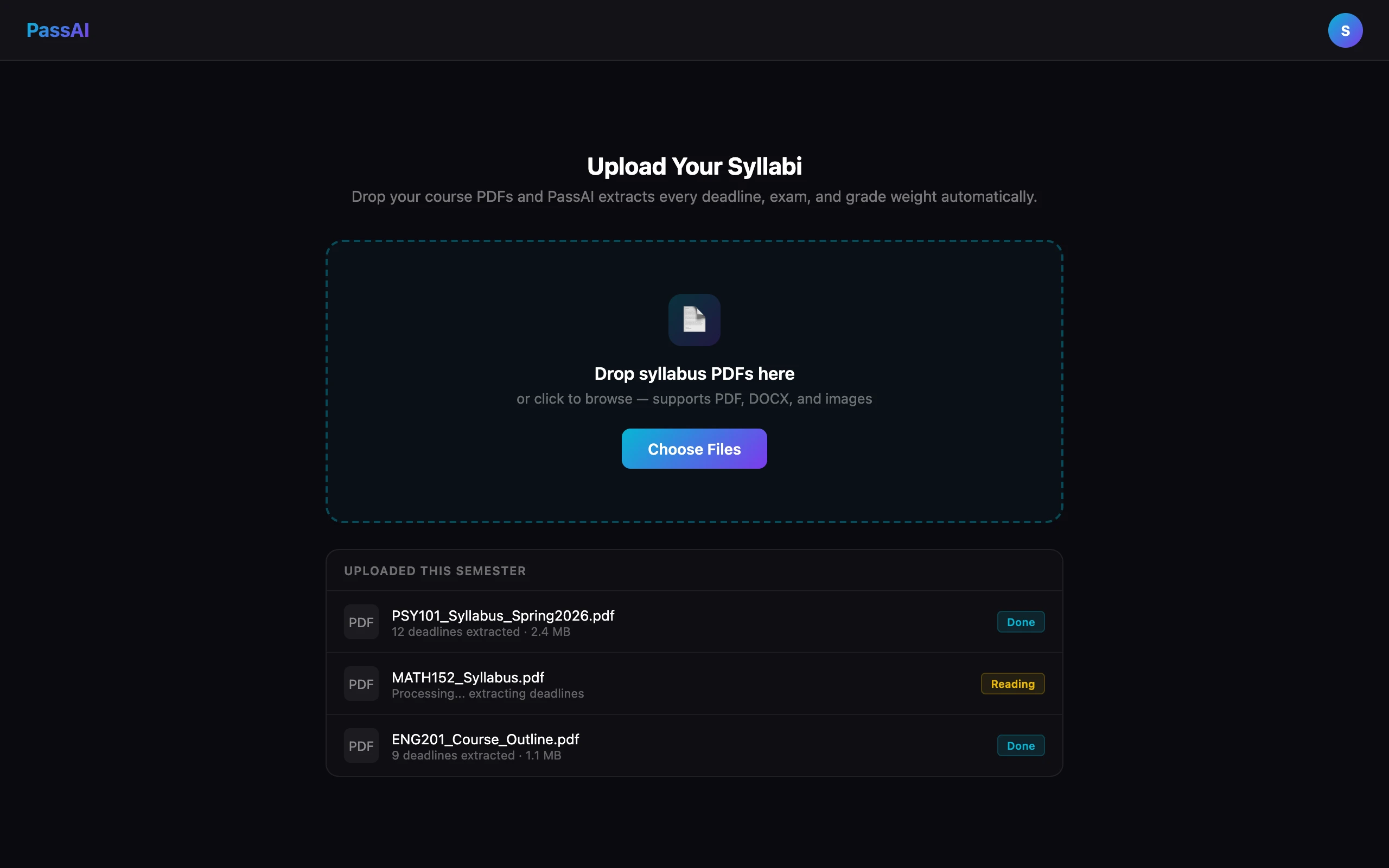
Quick answer: To upload your syllabus to AI, go to passai.pro, create a free account, click Upload Syllabus, and drop in your PDF or Word doc. PassAI reads the full document and extracts every deadline, exam, and grade weight in under 60 seconds — no manual entry required.
What "Upload Syllabus to AI" Actually Means
Most people picture a basic PDF scanner that pulls out dates and drops them into a calendar. That's the simple version — and honestly, even that saves a lot of time.
But the more advanced tools go further. They don't just find dates. They extract the entire academic story: every graded item with its name, type, weight, and due date — all visible in one place instead of scattered across five dense documents.
PassAI does this. Here's exactly how it works.
How PassAI Reads Your Syllabus
When you upload a PDF, PassAI sends it directly to Claude (Anthropic's AI model) as a native document. This matters — Claude reads the actual file layout, including tables, footnotes, and multi-column formatting, not just extracted text.
For Word documents, text is pulled out first and then sent to the AI. You can also paste your syllabus as plain text if your professor posted it in Canvas or sent it by email.
What makes this different from a basic date extractor is what happens with context. When you tell PassAI your semester, it builds a complete week-by-week calendar — so if a syllabus says "Week 3 quiz" or "due every Tuesday," PassAI doesn't leave those as placeholders. It maps them to actual calendar dates.
It also cross-checks itself. If a syllabus says "Tuesday, June 2" but June 2 actually falls on a Wednesday, PassAI flags it rather than trusting the wrong weekday name. That's a small detail that saves students from showing up to an exam a day late.
Total processing time: under 60 seconds.
What the AI Actually Extracts
This is where most syllabus tools stop at "here are your due dates" — and where PassAI does something more useful.
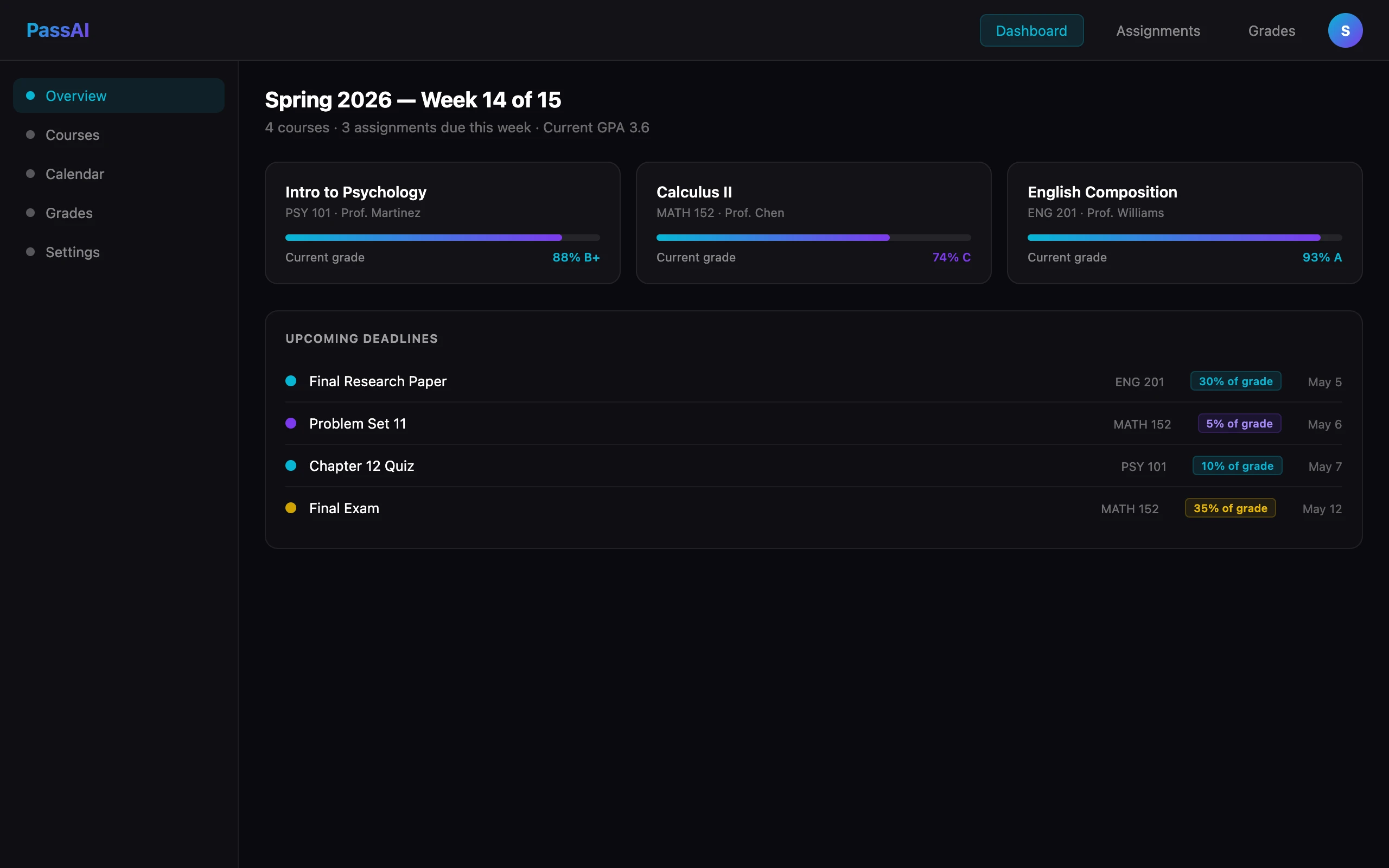
For every graded item in your syllabus, you get:
- Title — the exact name ("Midterm Exam," "Lab Report 3," "Research Paper Rough Draft")
- Type — classified as exam, quiz, assignment, project, or other
- Due date — in a clean format, or marked as null if the syllabus never specifies one
- Confirmed vs. inferred flag — if PassAI calculated the date from a week reference or recurring pattern, it marks it as inferred so you know to double-check it
- Grade weight — what percentage of your final grade this item is worth
- Topics covered — what chapters or material the assignment relates to
After the AI runs, you land on a Review & Confirm screen. Every item is listed, grouped by type. You can edit any field, delete anything the AI got wrong, and add anything it missed — then confirm. Nothing is saved until you approve it.
In an actual test with a US History syllabus, PassAI found 16 items: 2 exams, 6 quizzes, and 8 assignments — including recurring weekly reading quizzes that were expanded into individual dated entries across the full semester, each with the correct grade weight.
What Formats Does PassAI Accept?
- PDF — reads the full layout natively, including tables and footnotes (up to 10 MB)
- Word (.docx) — text extracted first, then processed by AI
- Plain text paste — up to 100,000 characters, useful for Canvas copy-paste
Not supported: image files, Canvas links, or older .doc format. If your syllabus is a scanned image rather than a real PDF, convert it to text first — most phones can do this with a document scanner app.
If your syllabus only exists on paper, that limitation is worth knowing before you pick a tool — a few competitors scan with the phone camera instead, and we compared the whole category in best syllabus apps for college students. And if you would rather do the extraction yourself first to know what the AI should be finding, how to read a syllabus walks the manual method.
The Thing Most AI Syllabus Tools Won't Tell You
Every tool in this space has one honest limitation: the AI is only as accurate as the syllabus it reads.
Some syllabuses are clean and structured. Others look like they haven't been updated since 1997. When a professor writes "assignments due before class" without specifying a time, or gives a date that contradicts the listed weekday, even good AI has to make a judgment call.
PassAI handles this by marking inferred dates so you know which ones to verify. The Review & Confirm step isn't a failure of the technology — it's just good practice. Spending two minutes checking the output beats spending 30 minutes fixing a missed deadline three weeks later.
Is Uploading Your Syllabus to AI Cheating?
No, and the reason is worth understanding rather than taking on faith. Academic integrity policies govern work you submit for a grade. A schedule is not submitted work. Nothing the AI produces during a syllabus upload ends up in an assignment, so there is no graded artifact for a policy to catch.
That holds across all three of the AI policies you will actually encounter on a syllabus — prohibited, permitted with limits, and allowed with attribution. Even a course that bans generative AI outright is banning it on your assignments, not on your calendar. The distinction instructors use is process versus product: AI that changes how you understand or organise your work is safe, AI that produces the thing being graded is not.
This also means you do not need to disclose it, the way you would disclose AI drafting help. There is nothing to disclose. For the full breakdown of where that line sits and the four uses that do get students caught, see how to use AI in college without cheating.
Worth stating plainly: PassAI will not write your papers or answer your problem sets. That is a deliberate product decision. The tool that plans your semester should not be the tool that puts you in front of an integrity board.
Why Syncing to a Calendar Isn't Enough
Most basic syllabus tools stop at exporting your deadlines to Google Calendar. That seems useful until you realize it only tells you when something is due — not how much it matters.
A midterm worth 15% of your grade and a weekly homework worth 2% look identical on a calendar. They're not the same kind of deadline.
PassAI keeps grade weights attached to every item. So when you're looking at your semester dashboard, you can see at a glance which things are high stakes and which aren't. Enter your scores as assignments come back, and PassAI calculates your current grade and tells you exactly what you need on future work to hit your target. That's what an AI semester planner actually does that a calendar can't. If you just want the math on a single course without uploading anything, PassAI's grade calculator runs it in the browser.
How to Do It: Step by Step
Grab your syllabi.
Download the PDF from Canvas, Blackboard, or wherever your professor posted it. First week of the semester is the right time to do this — your schedule is light and everything is still manageable.
Upload to PassAI.
Create a free account at passai.pro. On the Upload Syllabus page, drop your PDF or Word doc — or paste the text directly. Select your semester so PassAI knows which calendar to map recurring dates against.
Let the AI run.
PassAI processes the document in under 60 seconds. You'll see a loading screen while it extracts every graded item, date, and grade weight from the syllabus.
Review and confirm.
Check the results on the Review & Confirm screen. Everything is organized by type — Exams, Quizzes, Assignments. Edit anything that looks off, add anything it missed, then confirm. Takes about two minutes.
Repeat for all your courses.
This is the step most people skip. Do all your classes in the first week. The value of PassAI is seeing your entire workload in one view — not just one course.
Track grades as you go.
When assignments come back graded, enter your scores. PassAI calculates your current grade automatically and shows you what you need on upcoming work to hit your target. The grade calculator does the math so you don't have to.
Start Before Week Two
The first week of a semester is the best time to do this. Your schedule is light, you have the syllabi, and the semester is still manageable.
By week three, things start moving fast. The students who go into week two with their full semester already mapped — deadlines, grade weights, all of it — make better decisions from the start. They study for the right things. They don't get surprised by the exam worth 30% that they forgot was coming.
Upload your syllabi to PassAI now. It takes 10 minutes. It starts with a 14-day Pro trial, no credit card; after that the free plan keeps 2 classes with full grade tracking, and Pro ($9.99/month or $24.99 a semester) keeps every class plus the daily plan email for all of them.