Let me guess how your last semester started.
You got your syllabi, skimmed through them, made a mental note of the big exams, and told yourself you'd set everything up properly over the weekend. Then the weekend came. You did other stuff. Week two rolled around and you were already behind on a reading you forgot existed.
That's not a discipline problem. That's a systems problem.
Most students plan a semester completely backwards — manually reading five dense PDFs and copying dates into a calendar, when that's exactly the kind of work software should be doing for you. That's what an AI semester planner is for. And once you try one, you'll wonder why you ever did it any other way.
Quick answer: An AI semester planner reads your syllabus PDF and automatically extracts every deadline, exam, and assignment into one organized view — no manual data entry. PassAI does this in under 60 seconds per syllabus and is free to start.
What an AI Semester Planner Actually Does
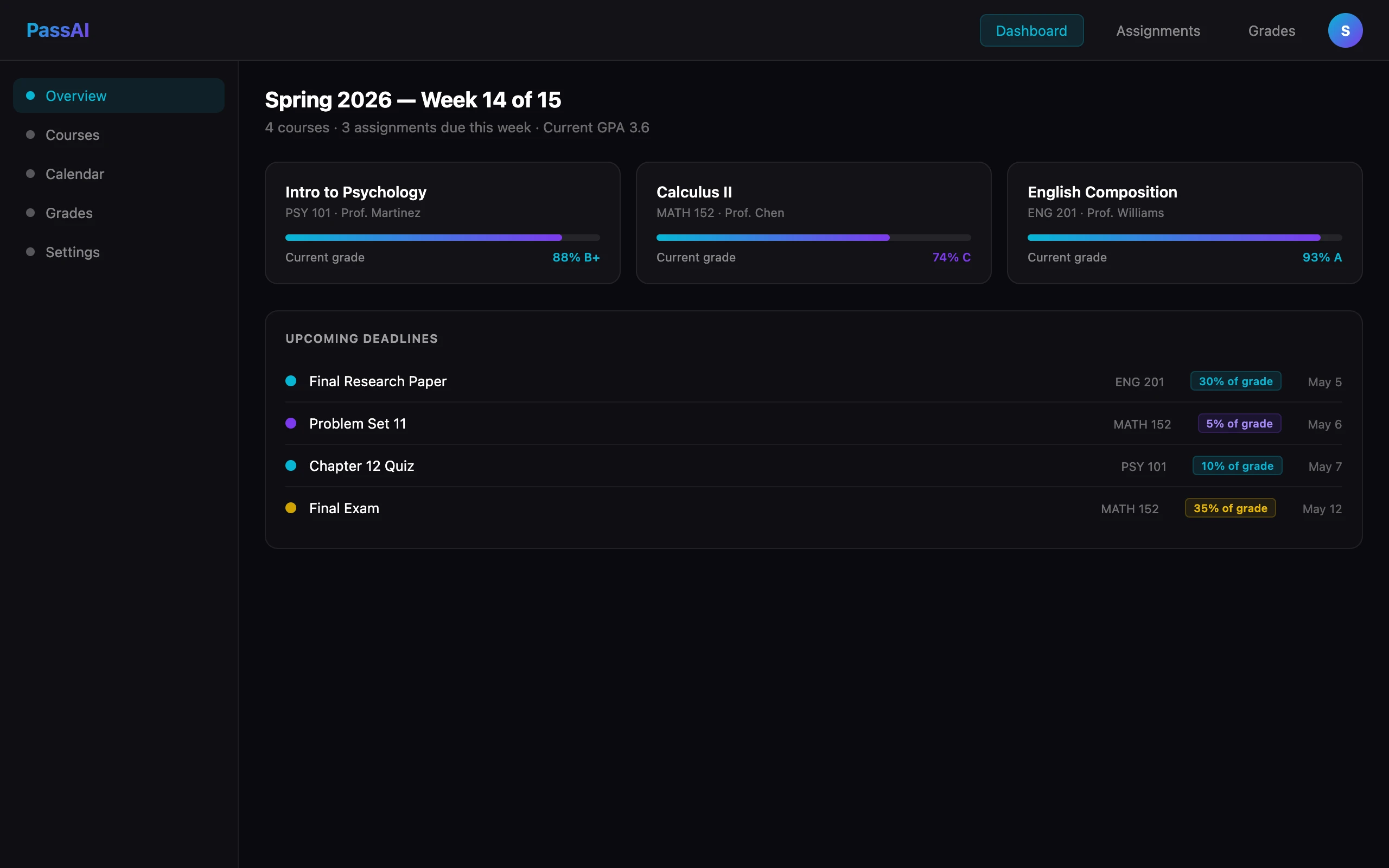
An AI semester planner isn't a chatbot that gives you study tips. It's not a prettier version of Google Calendar. It does one specific thing that changes how your whole semester feels: it reads your syllabus and builds your schedule for you.
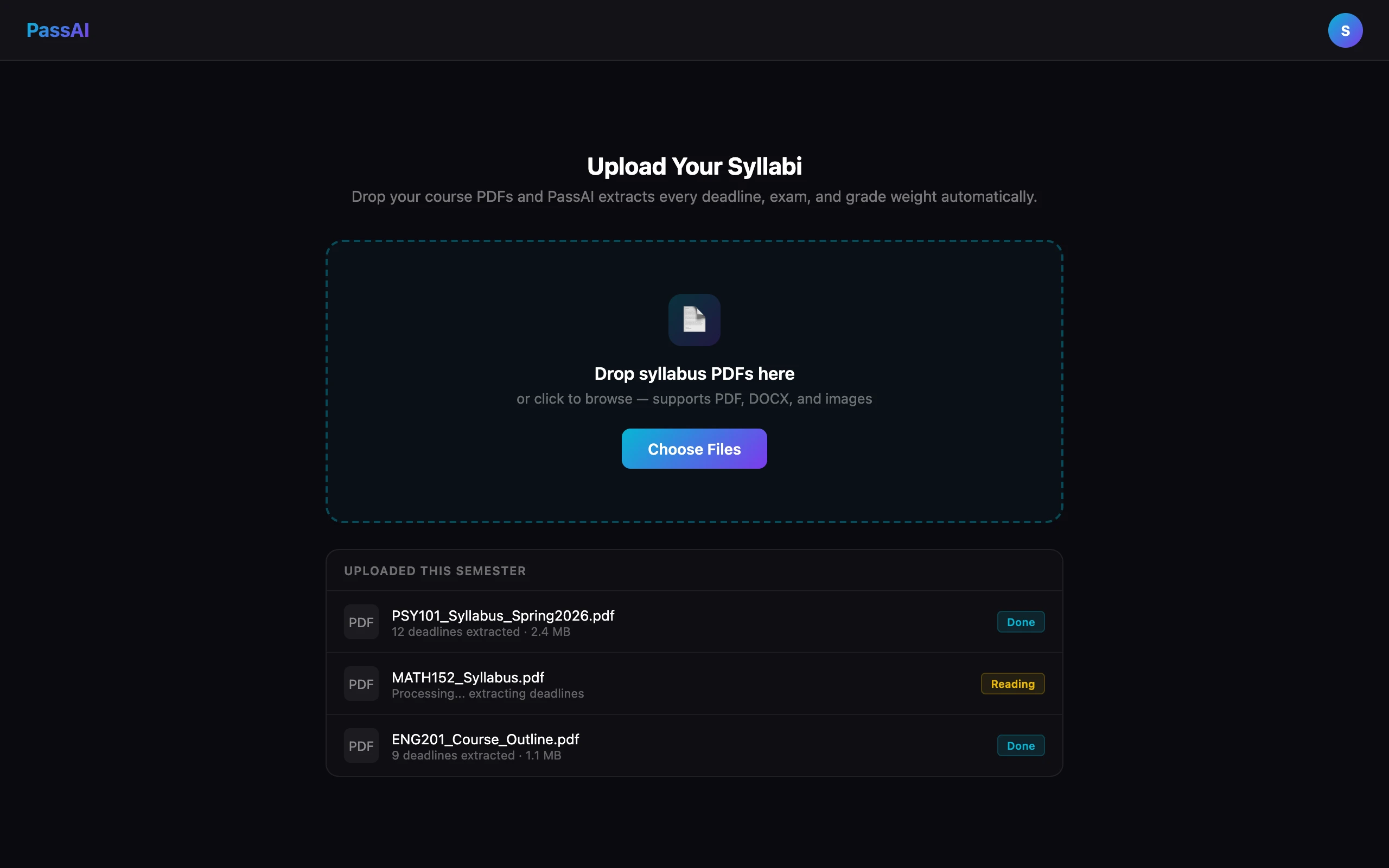
Upload the PDF. The AI goes through every page — including the ones you'd have skipped — and pulls out every assignment, exam, quiz, project deadline, and grade weight. Then it organizes all of it into a single clean view of your semester.
No typing. No copy-pasting. No missing the homework buried in a footnote on page seven.
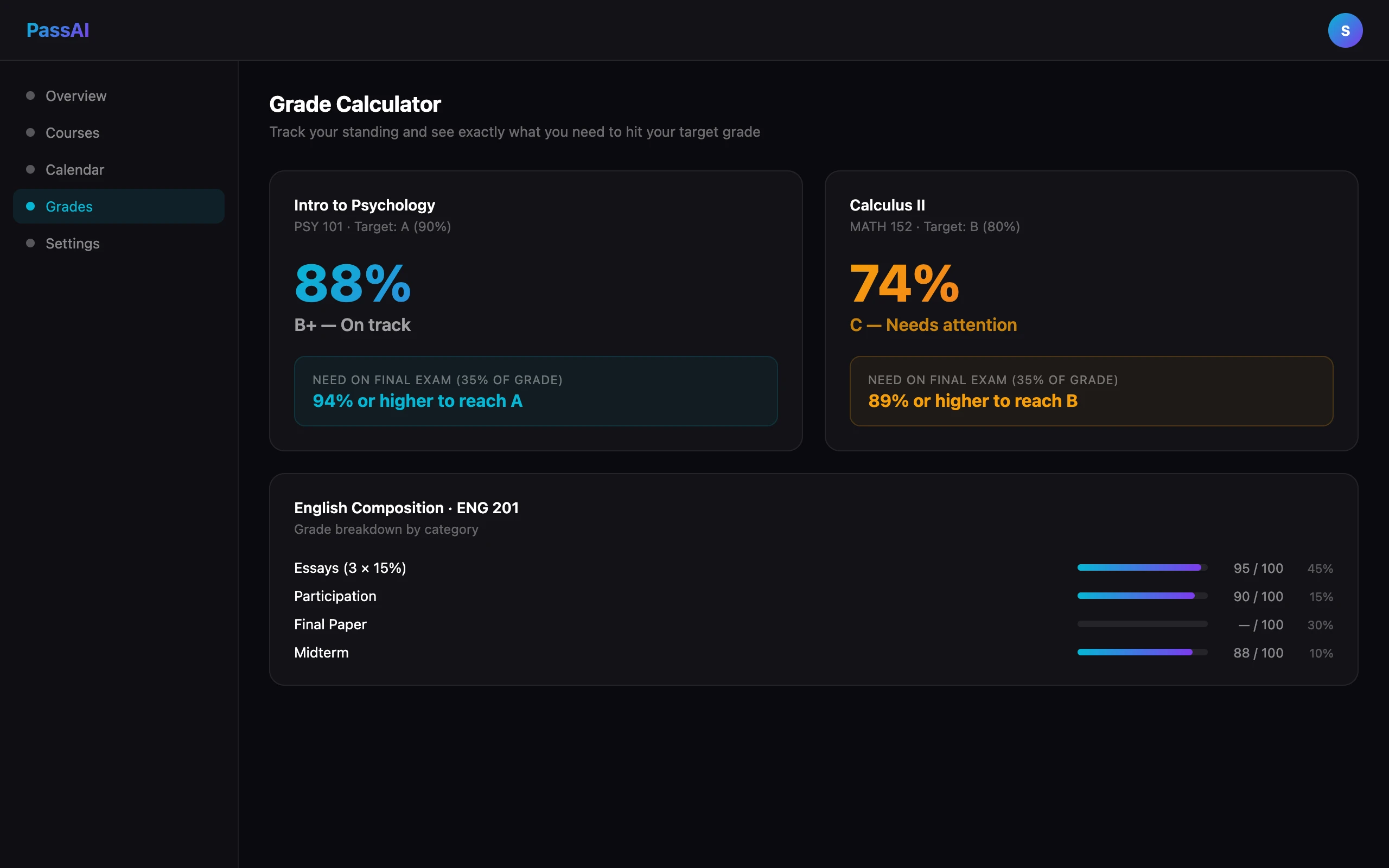
A good one also ties your schedule to your grades. As the semester moves forward, you're not just tracking what's due — you're tracking where you stand and what you need to hit your target grade in each class.
Here is what that looks like on a real document. On a 12-page HIS 2010 syllabus, PassAI's parser returned 16 graded items: 2 exams (a midterm at 15% and a final at 15%), 6 quizzes — the line reading "weekly reading quiz" expanded into individually dated entries rather than sitting as one vague row — and 8 assignments, including a research paper split into its rough draft and final draft deadlines. Every weight came off the grading table correctly. Dates PassAI calculated rather than read (a syllabus that says "Week 6" instead of a date) get flagged as inferred, so you know which handful to confirm with your professor instead of trusting all 16 equally.
You can see the tool itself on PassAI's AI semester planner page.
Why This Matters More Than You Think
The students who consistently do well aren't necessarily working harder. They're working with more information.
When you know exactly what's coming three weeks from now, you make better decisions today. You study for the exam worth 30% of your grade instead of grinding through homework worth 5%. You start the group project early because you can see it's due the same week as two midterms.
That visibility is hard to maintain when your semester plan is a half-filled calendar you set up in week one and abandoned by week three. An AI semester planner keeps everything current without you manually maintaining it. That's the real value.
How to Set One Up (It Takes About 10 Minutes)
This is the process with PassAI, which is free to start. For a detailed walkthrough of the upload step, see our guide on how to upload your syllabus to AI.
Collect your syllabi.
First week of the semester, download the PDF for each course. Most professors post them on Canvas or Blackboard. If yours doesn't, scan the paper version.
Upload them.
Create a free PassAI account and upload your syllabi. The AI reads the full document — not just the schedule section — and extracts deadlines, exam dates, and assignment weights. About 30 seconds per course.
Look at your semester.
This is the part that hits different the first time. You go from five separate PDFs and a vague sense of dread to a single clean view of everything due over the next 15 weeks. It's a lot to look at. That's good — you're seeing it now instead of discovering it the week it all piles up.
Track grades as you go.
As assignments come back, enter your scores. PassAI recalculates your current grade in real time and tells you what you need on upcoming work to hit your goal. No more late-night GPA math.
Check in every Sunday.
Five minutes. Look at what's coming up that week. This one habit — made easy because everything's already in one place — is the difference between students who feel on top of things and students who are always scrambling.
The Mistakes That Kill Your Semester Plan
Even with a good tool, there are a few ways to sink yourself.
Setting it up in week three. The first two weeks feel calm — that's exactly why you should build your plan then. By week three you're already reacting instead of planning.
Only uploading some of your courses. Half a semester plan is almost worse than none. You'll feel organized, then get blindsided by the classes you left out. Upload everything.
Entering scores but not checking projections. The grade calculator tells you what you need going forward. That's the useful part. Actually look at it — it's the foundation of how to improve your GPA when you've fallen behind.
Treating it like a one-time setup. Add grades as they come in. If a professor changes a deadline, update it. The tool is only as accurate as the information you give it.
AI Semester Planner vs. The Alternatives
Here's how the options actually compare for a typical college student managing 4–5 courses:
| AI Planner (PassAI) | Google Calendar | Canvas | |
|---|---|---|---|
| Setup time | ~10 minutes | 2–3 hours | Professor-dependent |
| Reads syllabus for you | ✓ Yes | ✗ No | ✗ No |
| Shows grade weights | ✓ Yes | ✗ No | Sometimes |
| Live grade calculator | ✓ Yes | ✗ No | Sometimes |
| Daily email reminders | ✓ Yes | Manual setup | Limited |
| Works if professor skips Canvas | ✓ Yes | Manual entry | ✗ No |
Google Calendar is a blank canvas. You still have to read every syllabus yourself, interpret the dates, and enter them one by one. Setting up a semester properly takes 2–3 hours, and most people give up halfway through or make mistakes.
An AI semester planner does the reading for you. Setup takes 10 minutes and the output is more accurate — because the AI doesn't get bored and start rushing through page four.
Notion, same story. It's powerful but it's another system you have to build and maintain yourself. An AI semester planner is designed for this exact use case and does it better out of the box.
Updated for 2026: when this post first went up, the realistic comparison was against general-purpose tools — Google Calendar, Notion, Canvas. That is no longer the whole picture. A dedicated syllabus-scanner category has appeared since, and it is worth knowing before you pick: Shovel syncs directly with Canvas, Brightspace, Moodle and Google Classroom; UpAhead advertises a populated schedule in 30 seconds; Semora and Sylly are iOS apps that scan a paper syllabus with your phone camera; IntelliPlan imports from Canvas, StudentVue and Schoology. Most are mobile-first, and several extract due dates without extracting grade weights, which is the difference between a calendar and a plan. We compared all of them honestly in best syllabus apps for college students.
Your Week 1 Checklist
The first week of a semester is the highest-leverage time to set this up. Here's the exact checklist:
Day 1–2: Collect
- Download the PDF syllabus for every course
- If a professor hasn't posted it yet, email them or grab the paper copy
- Save all files in one folder so you can find them
Day 2–3: Upload
- Create a free PassAI account at passai.pro
- Upload each syllabus one at a time (30–60 seconds each)
- Review the extracted items for each course and fix anything off
Day 3–4: Review your semester
- Look at the full semester view — note any weeks that are dangerously heavy
- Identify your highest-stakes deadlines (biggest grade weights)
- Look for deadline clusters — weeks when two or three major things land at once
Ongoing
- Enter your scores as assignments come back
- Check the grade calculator weekly — know where you stand before midterms
- If a professor changes a date, update it immediately
The whole setup — all courses — takes about 10 minutes. Students who do this in week one report feeling noticeably less behind by week three, because they're reacting to a real picture of their workload instead of a vague sense of dread.
Just Start Now
The best time to set up your semester plan was the first day of class. The second best time is right now.
Mid-semester and feeling like things are slipping? A clear view of what's left and where you stand is exactly what you need to course-correct. Between semesters? Set it up before classes even start and go into week one already ahead.
PassAI starts with a 14-day Pro trial, no credit card. After that, the free plan keeps 2 classes with full grade tracking. Pro is $9.99/month, $24.99 for a 4-month Semester Pass, or $49.99/year, and keeps every class plus the daily plan email for all of them.
One more thing worth saying plainly, because students ask: using an AI planner is not an academic integrity problem. Integrity policies govern work you submit for a grade, and a schedule is not submitted work. Planning stays legal even in a course that bans generative AI outright — see how to use AI in college without cheating for where that line actually sits. PassAI does not write papers or answer problem sets, and that is deliberate.
PassAI is a free AI semester planner for college students. Upload your syllabus, track your grades, and stop living deadline to deadline.