You opened Canvas, checked your To-Do list, saw nothing due, and closed the laptop feeling good about your week. Then on Thursday someone in your group chat asked if everyone finished the reading response that was due Wednesday. The one that was never on Canvas. The one your professor mentioned once, three weeks ago, and put in the syllabus PDF but never bothered to create as an actual assignment in the system.
If that has happened to you, you are not careless and you are not disorganized. You did exactly what you were supposed to do. You checked the tool the school told you to check. The tool just didn't have the information.
This is one of the most common and most frustrating experiences in college, and almost nobody talks about why it happens. So let's talk about it — fairly, without pretending Canvas is garbage (it isn't) and without pretending it does something it was never built to do.
Quick answer: Canvas only shows assignments that professors create, publish, and give a due date to. If a professor posts deadlines only in the syllabus, announces them in class, or uses Canvas inconsistently, those items never reach your To-Do list. Canvas is a course management system for instructors, not a personal deadline tracker for students. To catch everything, use a tool like PassAI that reads your syllabus directly — free, no credit card required.
What Canvas Is (and What It's Actually For)
Here is the thing most students never get told: Canvas was not built for you.
Canvas is a Learning Management System, or LMS. Its primary user is the professor, not the student. It exists so instructors can post materials, collect submissions, run a grade book, send announcements, and manage a course from one place. Everything you see as a student is downstream of decisions a professor makes inside that system.
That means your view of the course is only as complete as the work your professor puts in. Canvas does not know what's on your syllabus. It does not know what the professor said in lecture. It only knows what was manually entered into it. When the entry is missing, your screen is empty — and an empty screen looks exactly like "nothing is due," even when something very much is.
For what it was designed to do, Canvas is genuinely good. It's a solid submission portal and a reliable grade book — Instructure's own documentation describes it as a course management platform, not a student planner. The problem isn't the software. The problem is that students have been handed a professor's administrative tool and told to use it as a personal planner. Those are two different jobs, and Canvas was only built for one of them.
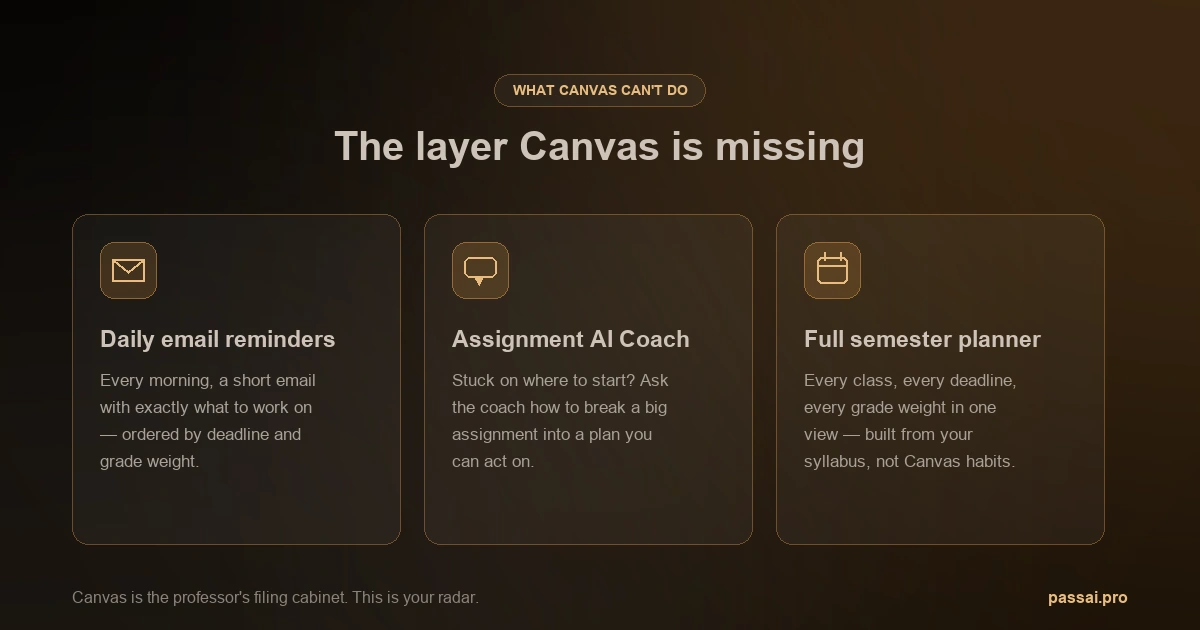
Once you see Canvas as your professor's filing cabinet rather than your personal calendar, its blind spots start to make a lot more sense.
The 5 Real Reasons Canvas Fails Students
These aren't hypotheticals. They are documented, repeatable behaviors of the platform and the way it gets used.
1. Canvas only shows what professors update. This is the root of almost every "I didn't know that was due" story. If a professor keeps deadlines in the syllabus PDF, mentions them verbally, or simply forgets to publish an assignment, Canvas has nothing to show you. The system isn't hiding the work. The work was never entered. And since instructors use Canvas with wildly different levels of effort, two of your five classes might be perfectly maintained while the other three are nearly empty.
2. Assignments without a due date never reach your To-Do list. This one surprises people. Canvas builds your To-Do list and calendar from the due date field on each assignment. If a professor creates an assignment but leaves that field blank — which happens constantly — the assignment exists in the system but appears nowhere in your deadline view. It's technically "on Canvas," yet completely invisible in the one place you actually look.
3. Overdue items linger with misleading indicators. Canvas doesn't always clean up after itself. Items can stay flagged in confusing ways after the deadline passes, and the visual cues don't reliably tell you whether something is still open, closed, submitted, or genuinely missed. You end up second-guessing your own dashboard instead of trusting it.
4. "On paper" and "no submission" assignments are never tracked automatically. When a professor sets an assignment type to "on paper" or "no submission" — common for in-class quizzes, handed-in worksheets, participation, or printed essays — Canvas treats it as something it doesn't need to remind you about. These items frequently skip the To-Do list entirely. So the pop quiz you were supposed to study for and the essay you were supposed to print and bring to class are exactly the assignments Canvas is worst at surfacing.
5. Course copy bugs can create silent zeros. When professors copy a course shell from a previous term, the import process sometimes carries over assignments, due dates, or grade entries incorrectly. Students have ended up with a zero on something they were never assigned, or a deadline that quietly shifted, with no notification that anything went wrong. You only find out when you check your grade and the math doesn't add up.
There's a sixth issue worth naming on its own, because it's structural rather than a bug: Canvas can tell you something is due, but it can't tell you what to study, how the assignment is weighted, or how long it will realistically take. A 2% discussion post and a 30% final project can sit side by side on your To-Do list looking identical. Canvas treats them the same. Your grade does not.
What Canvas Shows vs. What You Actually Need
The gap becomes obvious when you put the two side by side. Canvas answers "what did my professor enter into the system?" You need an answer to "what do I actually have to do, and how much does it matter?"
| PassAI | Canvas | |
|---|---|---|
| Source of deadlines | Your syllabus PDF (the original source) | Whatever the professor manually enters |
| Assignments without due dates | Captured from the syllabus | Excluded from the To-Do list |
| "On paper" / no-submission work | Tracked like any other deadline | Rarely surfaced automatically |
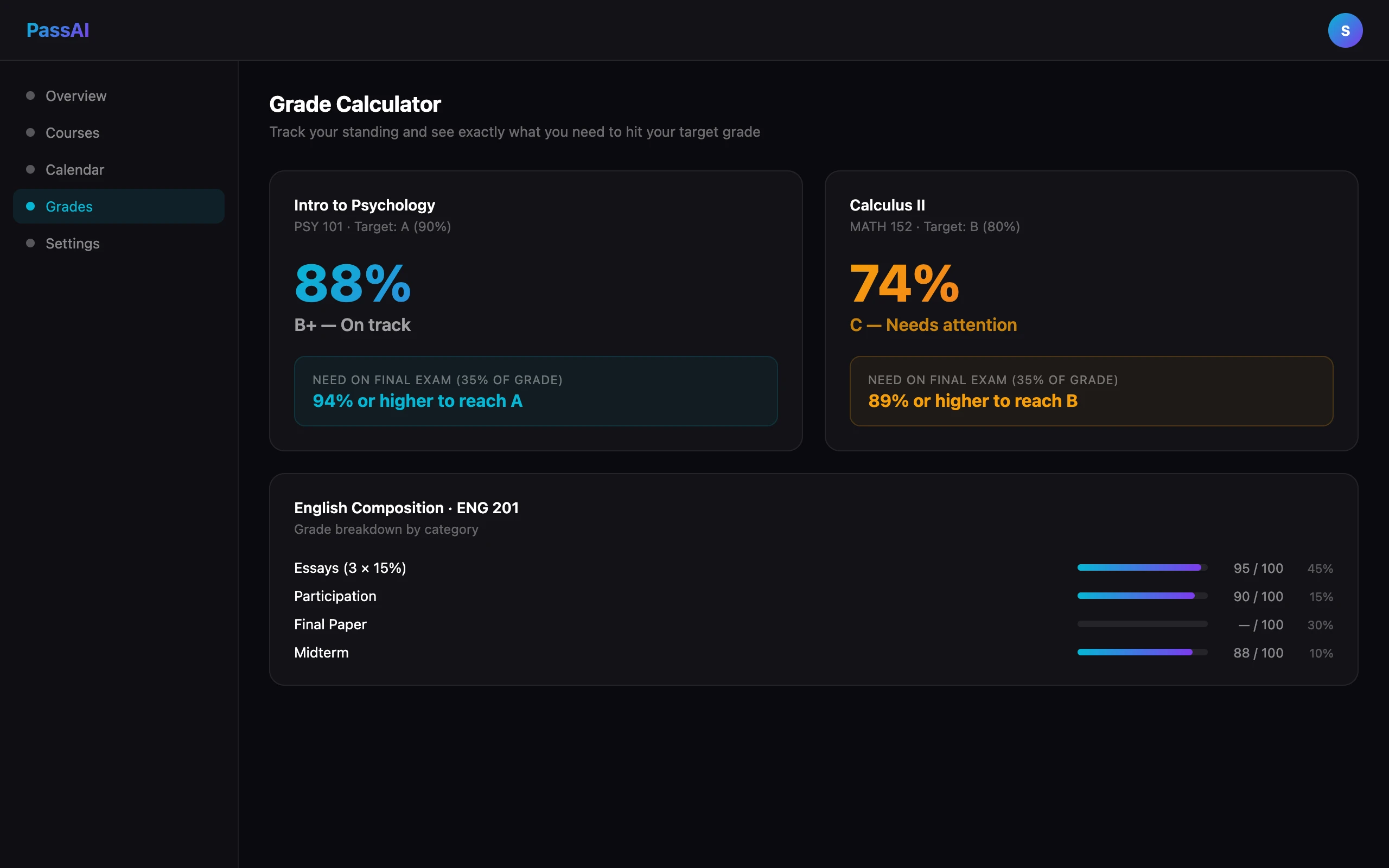
| Grade weight per item | Shown for every assignment and exam | Not visible from the student view |
| Tells you what to study | Daily email with what to study and for how long | Only shows what's due |
| Grade calculator and GPA tracking | Built in | Limited "what-if" grades, often disabled |
| Depends on professor effort | No — works from your documents | Yes — entirely |
Notice the pattern. Almost every Canvas weakness traces back to the same root: it depends on a person remembering to do something. The fix is to start from the document that already has all the answers in it — your syllabus.
What Students Use Instead
This is where it's worth being precise, because "ditch Canvas" is bad advice. You can't ditch Canvas. It's still where you submit work and where your official grades live. You need it.
What students actually need is a second layer that does the job Canvas was never built for: a personal deadline tracker that pulls from the source instead of waiting on a professor. That's what PassAI is built to do.
Instead of depending on Canvas data entry, PassAI reads your actual syllabus PDF. You upload it, and within about 60 seconds the AI extracts every deadline, exam, quiz, and assignment in the document — including the ones that would have slipped through Canvas because they had no due date field or were marked "on paper." Because it works from the syllabus, it doesn't matter whether your professor babysits Canvas or never logs in. The information was always in the syllabus. PassAI just reads it for you. If you want a closer look at how that works, here's a walkthrough on uploading your syllabus to AI.
From there it does the things Canvas leaves out. It shows the grade weight for every item, so you can tell a 2% post from a 30% project at a glance. It sends a daily email that tells you not just what's coming up but what to study and roughly how long it should take. And it includes a grade calculator and GPA tracking so you always know where you stand and what you need on the next exam to hit your target. For a full system around this, see our guide to staying on top of assignments and the AI semester planner that builds the whole term out at once.
Free to start is five syllabus uploads and full grade tracking, no credit card. Pro is $9.99/month and adds unlimited uploads plus the daily plan email for every class.
Canvas + PassAI: How They Work Together
The cleanest way to think about it is by job:
- Canvas is the professor's system. It's the official grade book, the submission portal, and where your instructor posts files and announcements. You log in to turn things in and to see graded results. Keep using it for exactly that.
- PassAI is your personal layer. It reads your syllabus, owns your real deadline picture, weights everything by importance, reminds you daily, and tells you what to actually do with your study time.
You upload your syllabi to PassAI once at the start of the term. Now you have a complete, source-accurate map of the semester that doesn't go dark when a professor forgets to publish an assignment. You still submit through Canvas, and you still check it for posted grades and materials. But the question "wait, is anything actually due this week?" gets answered by the tool that read the syllabus, not the tool that depends on someone remembering to fill in a date field.
Two tools, two jobs. No conflict. The professor's filing cabinet, plus your own radar.
Stop Trusting an Empty To-Do List
An empty Canvas dashboard does not mean you're caught up. It means nobody entered anything yet. That's a fragile thing to bet your grade on, and you deserve a system that doesn't break the moment a professor gets busy.
Keep Canvas for what it's good at. Add the layer it was never built to provide. Upload your first syllabus to PassAI and have your whole semester mapped in under a minute — every deadline, every weight, every reminder, all from the document you already have. It's free, and there's no credit card required.