There are hundreds of AI tools aimed at students right now, and most of them blur together. Open any "best AI apps" list and you'll find the same twenty names, half of which do the same thing and none of which tell you when to actually use which one. The problem isn't finding an AI tool. It's figuring out which one matches the thing you're trying to get done.
Quick answer: The best AI tools for college students in 2026, by task: PassAI for study planning and deadline tracking (reads your syllabus, builds your schedule), Perplexity for research with citations, Grammarly for grammar and QuillBot for paraphrasing, NotebookLM for studying from your own notes, and ChatGPT or Gemini for general questions. Most have free tiers. Use two or three that cover different jobs instead of hunting for one tool that does everything.
How to Think About AI Tools in College
The mistake most students make is looking for the one perfect AI tool. That tool doesn't exist, and chasing it wastes more time than it saves.
A better framework is to match the tool to the task. AI tools are specialized, and the good ones are good because they do one job well, not ten jobs adequately. Your week in college breaks down into a handful of recurring jobs: figuring out what's due and when, researching for papers, writing and editing, studying from your notes, and answering one-off questions. Each of those has a tool that's genuinely better than the rest at that specific thing.
So instead of asking "what's the best AI tool," ask "what am I trying to do right now." If you're staring at five syllabi trying to plan your semester, the answer is different than if you're three paragraphs into an essay and stuck on phrasing. The rest of this guide is organized exactly that way, by the job you're doing.
Two or three tools that cover different jobs will do more for your semester than any single all-in-one app. Here's the breakdown.
Best AI Tool for Study Planning — PassAI
This is the job almost no other AI tool actually does well, and it's the one with the highest payoff. General assistants like ChatGPT can answer questions, but they don't know your deadlines, your exam dates, or what percentage of your grade that lab report is worth. Planning a semester is a structured, repetitive task — exactly the kind of thing a purpose-built tool handles better than a chat window.
PassAI
Best for: Study planning, deadline tracking, grade math · Free tier: Yes (5 syllabus uploads, no credit card)
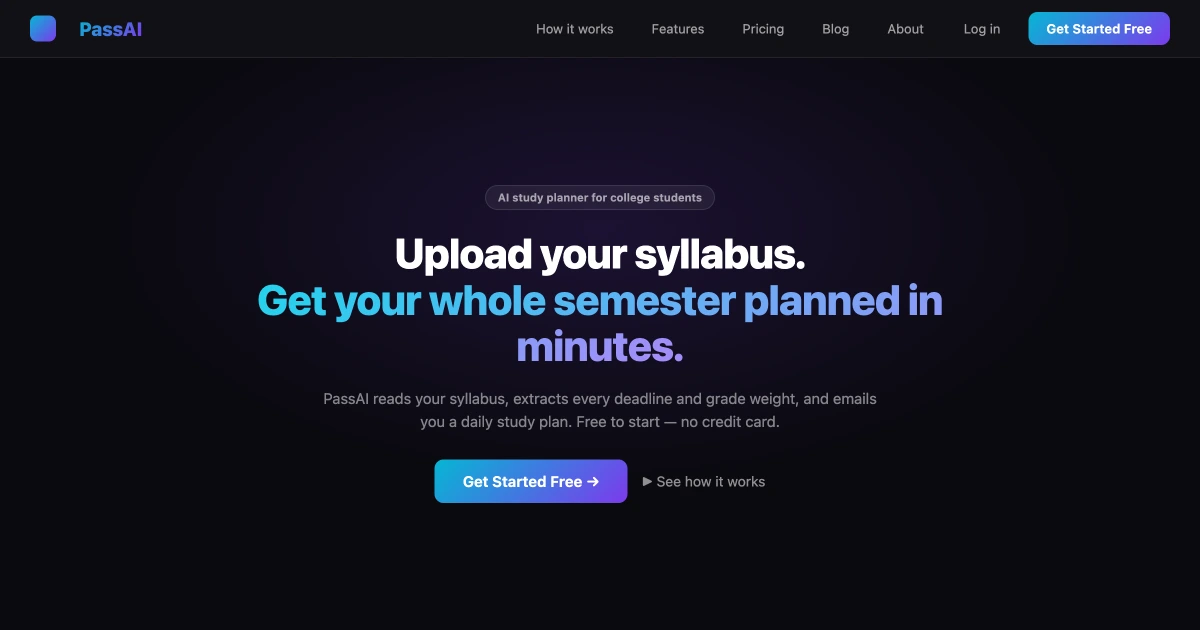
PassAI reads your syllabus and builds your entire semester schedule for you. Upload a PDF and the AI extracts every deadline, exam, and assignment — with grade weights attached — in under 60 seconds. It's the one tool on this list built specifically for the part of college that has nothing to do with writing essays and everything to do with not falling behind.
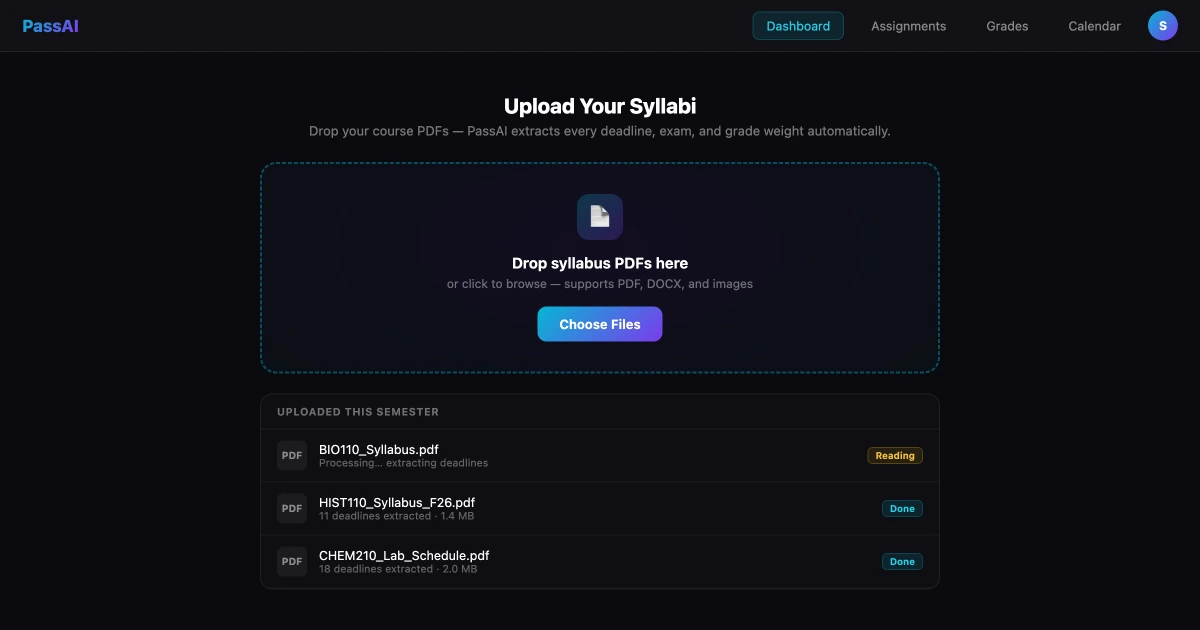
Here's how it works in practice. You upload your syllabus to AI at passai.pro, and PassAI pulls out every graded item: the name, the type, the due date, and what percentage of your final grade it's worth. Recurring items get expanded automatically, so "weekly quiz due Fridays" becomes fifteen individually dated entries instead of one vague note. Once your courses are in, you have a day-by-day study plan and a single dashboard showing your whole semester at once. If you want a step-by-step breakdown of how to structure that schedule, our guide on how to make a study schedule in college walks through the full method.
The part that actually keeps students on track is the daily email. Every morning PassAI sends you exactly what to study and what's coming up, so you're not relying on memory or checking five separate course pages. There's also a built-in grade calculator and GPA tracker: enter your scores as work comes back, and PassAI tells you your current grade and what you need on upcoming assignments to hit your target — the core of how to improve your GPA when you're behind. The Assignment AI Coach breaks any assignment into concrete steps when you don't know where to start.
What it doesn't do is write your papers or answer trivia. That's by design. PassAI is web-based at passai.pro with nothing to install, free to start with no credit card, and Pro is $9.99/month if you need unlimited uploads. For staying on top of assignments across a full course load, it's the tool that does the job nothing else on this list is built for. See more on how the full AI semester planner for college works.
A quick note on the competition here: Ahead is an iOS app that also scans syllabi, and it's a fair option if you live entirely on an iPhone. But it's iOS-only, it doesn't send daily email reminders, and it has no grade calculator, so it stops at extraction rather than carrying you through the semester.
Best AI Tool for Research — Perplexity
When you're researching for a paper, the thing you need most is sources you can actually cite. Standard chatbots will confidently make up a study that doesn't exist. Perplexity is built to avoid that.
Perplexity
Best for: Research with real citations · Free tier: Yes (paid Pro adds deeper search)
Perplexity answers questions by searching the live web and citing every source inline. Each claim links back to where it came from, so you can verify it and pull the reference into your bibliography. It's the closest thing to a research assistant that shows its work.
Use it as a starting point, not an ending point. Perplexity is excellent for getting oriented on an unfamiliar topic, finding the key papers, and understanding the lay of the land before you dig into the actual sources. Click through to the citations and read the originals — that's where the real research happens, and it's also what keeps you honest academically. The free tier is more than enough for most coursework.
Best AI Tool for Writing & Grammar — Grammarly + QuillBot
Writing has two distinct sub-jobs that two different tools handle. Grammarly catches the errors. QuillBot helps you rework sentences that are technically correct but clunky.
Grammarly
Best for: Grammar, spelling, clarity, tone · Free tier: Yes (Premium adds rewrites)
Grammarly checks grammar, punctuation, and clarity as you write, across browsers, docs, and email. The free tier covers the fundamentals that matter for most papers. Treat it as a proofreader for work that's already yours — it polishes your writing rather than replacing it.
QuillBot
Best for: Paraphrasing, summarizing, tightening sentences · Free tier: Yes
QuillBot rewrites and condenses text you've already written. It's useful when a sentence is awkward and you want a cleaner phrasing, or when you need to summarize a dense source to understand it. Used well, it sharpens your own work rather than producing work for you.
The honest line on both: these are editing and clarity tools, not essay generators. Run your own draft through Grammarly to clean it up, use QuillBot to fix sentences that won't sit right, and you stay firmly on the right side of academic integrity. Using either to paraphrase a source so closely that you're dodging a plagiarism check is a different thing, and most schools treat it as one.
Best AI Tool for Note-Taking — NotebookLM
The strongest study-from-your-notes tool isn't a chatbot you ask general questions. It's one that only knows what you give it. NotebookLM is Google's answer to that.
NotebookLM (Google)
Best for: Studying from your own lecture notes and readings · Free tier: Yes
Upload your lecture notes, slides, and assigned readings, and NotebookLM becomes an assistant that answers only from those documents. Ask it to explain a concept, generate a study guide, or summarize a reading, and every answer is grounded in your actual course material with citations back to the source.
This grounding is the whole point. Because NotebookLM only draws from what you upload, it won't drift off into generic internet knowledge that may not match what your professor taught. It's genuinely good for turning a semester's worth of notes into a study guide before an exam, or for getting unstuck on a reading you didn't fully follow in lecture.
What it doesn't do is track your deadlines or tell you when that exam is. It's a study companion for material you already have, not a planner. Pair it with a tool that handles scheduling and you've covered both sides of exam prep.
Best AI Tool for General Questions — ChatGPT / Gemini
Sometimes you just have a question. Explain this concept, draft an email to a professor, brainstorm thesis angles, figure out a formula. That's what the general assistants are for — ChatGPT and Google Gemini being the two most widely used.
ChatGPT
Best for: General questions, explanations, brainstorming · Free tier: Yes (GPT-5.4 mini)
The default all-purpose assistant. Strong for explaining concepts in plain language, drafting outlines, brainstorming, and working through problems step by step. The free tier runs GPT-5.4 mini, which handles the vast majority of student tasks without paying for Plus.
Google Gemini
Best for: General questions, Google Workspace integration · Free tier: Yes (free for students with .edu email)
Gemini does much of what ChatGPT does and plugs into Docs, Gmail, and Drive, which is convenient if your school runs on Google Workspace. Students with a .edu email often get extended access for free, so check what your university offers before paying for anything.
One caution that applies to both: general assistants will state wrong things confidently, especially with dates, citations, and math. They're great for understanding and drafting, less reliable as a source of fact. Verify anything that matters, and never paste in something a tool generated as if you wrote it.
The Free Stack (If You're on a Budget)
You can cover every job above without spending a cent. Here's a complete free setup for the semester:
- Study planning: PassAI free plan — 5 syllabus uploads, full dashboard, grade calculator, no credit card.
- Research: Perplexity free tier — cited answers for papers and projects.
- Writing: Grammarly free tier for grammar, QuillBot free tier for paraphrasing.
- Notes: NotebookLM — free, study from your own uploaded material.
- General questions: ChatGPT free tier (GPT-5.4 mini), or Gemini free with your .edu email.
That's the best free AI stack for college students in 2026, and it covers planning, research, writing, studying, and Q&A. Most students who think they need a paid plan actually just need to use the right free tool for each job. Upgrade only when you hit a real limit — for most people that's PassAI Pro at $9.99/month once you have more than two courses to track, since that's the one that compounds across your whole semester.
Start With the One That Compounds
You don't need every tool on this list. Pick the two or three that match the jobs you do most, and skip the rest until you actually need them.
If you start with one, make it the one that pays off across your entire semester. Research tools help when you have a paper. Writing tools help when you're drafting. But study planning helps every single day — it's the difference between knowing exactly what's due and what to work on, and finding out about the 30% exam the night before. That's the tool that quietly keeps the rest of your semester from falling apart.
Upload your first syllabus to PassAI and see your whole semester in one place. It takes about ten minutes and it's free to start.