The best planner app for college students is the one that already holds every deadline, and the fastest way to get there is an app that reads your syllabus. That's why our top pick is PassAI: it pulls every assignment, quiz and exam with its grade weight out of your syllabus, flags the weeks where deadlines pile up, and builds a day-by-day study plan. If you'd rather type deadlines in yourself, Power Planner is the best free pick and MyStudyLife handles rotating class timetables best.
We make PassAI, so check our pick against the facts: every app below gets a "won't do" line, PassAI included, and every competitor price was checked on the vendor's own pricing page on November 17, 2026. Anything a vendor doesn't state is marked "Not listed" instead of guessed.
The short answer: best planner app by situation
No single app is the best planning app for college students in every situation, but one job decides most of the semester: getting every deadline in, with how much it counts. Start there.
- Best overall, because it builds the plan from your syllabus: PassAI.
- Best for class timetables, including A/B and rotating schedules: MyStudyLife.
- Best if your school runs on Canvas, Brightspace or Moodle: Shovel.
- Best free planner with no subscription: Power Planner. If you searched for the best planner app for college students free of any subscription, start here.
- Best cheap homework planner: myHomework ($4.99 a year to remove ads).
- Best if you want to build your own system: Notion.
- Best for fast to-do lists across work and school: Todoist.
- Best place to see your week: Google Calendar with Google Tasks.
Comparison table: price, free tier, Canvas and syllabus import
This table compares what each planner app costs and what it can import, because importing is what decides how much of your first two weeks goes into data entry.
| App | Free tier | Paid price | Canvas / LMS | Reads your syllabus | Platforms |
|---|---|---|---|---|---|
| PassAI | 14-day Pro trial (no card), then 2 classes free | $9.99/mo, $49.99/yr or $24.99 per semester | Canvas and Moodle feed, re-checked daily | Yes, with grade weights: PDF, Word, photos or pasted text | Web (any browser, phone included) |
| MyStudyLife | Yes, 5 tasks at a time | $6.99/mo or $39.99/yr | Calendar sync (MSL+) | Not listed | Web, iPhone, iPad, Android |
| Shovel | No, 7-day trial (card required) | $36/yr, or $7/mo shown | Canvas, Brightspace, Moodle, Google Classroom | Yes, PDF | Not listed |
| Power Planner | Yes, fully functional | Under $5, one time | Not listed | Not listed | Windows, Mac, iOS, Android, web |
| myHomework | Yes, with ads | $4.99/yr | Teachers.io only | Only if your teacher posts it on Teachers.io | iPhone, iPad, Android, Mac, Windows, Chromebook, web |
| Notion | Yes; Education plan free with a school email | Plus $10/seat/mo | Not listed | Not listed | Web, Mac, Windows, mobile |
| Todoist | Yes, 5 projects | $7/mo or $60/yr | Not listed | Not listed | Windows, Mac, Linux, iPhone, iPad, Android |
| Google Calendar + Tasks | Included with a Google account | None for personal use | Not listed | Not listed | Web, Android, iOS |
PassAI is the only app here that reads the grade weights along with the dates, which is what tells you a quiz worth 2% and an exam worth 25% need different amounts of time. Two other lines matter more than they look. MyStudyLife's free plan holds only five tasks at a time, which a single week of a 15-credit semester can fill. And Shovel's monthly price is shown as $7 with $9 struck out, so check the checkout screen before you pay.
The 8 picks, with what each one won't do
PassAI comes first because it's the only one that does the setup for you. Every pick, ours included, has a "won't do" line, because the gap is usually what makes you quit an app in week 6.
1. PassAI: best overall, because it builds the plan from your syllabus
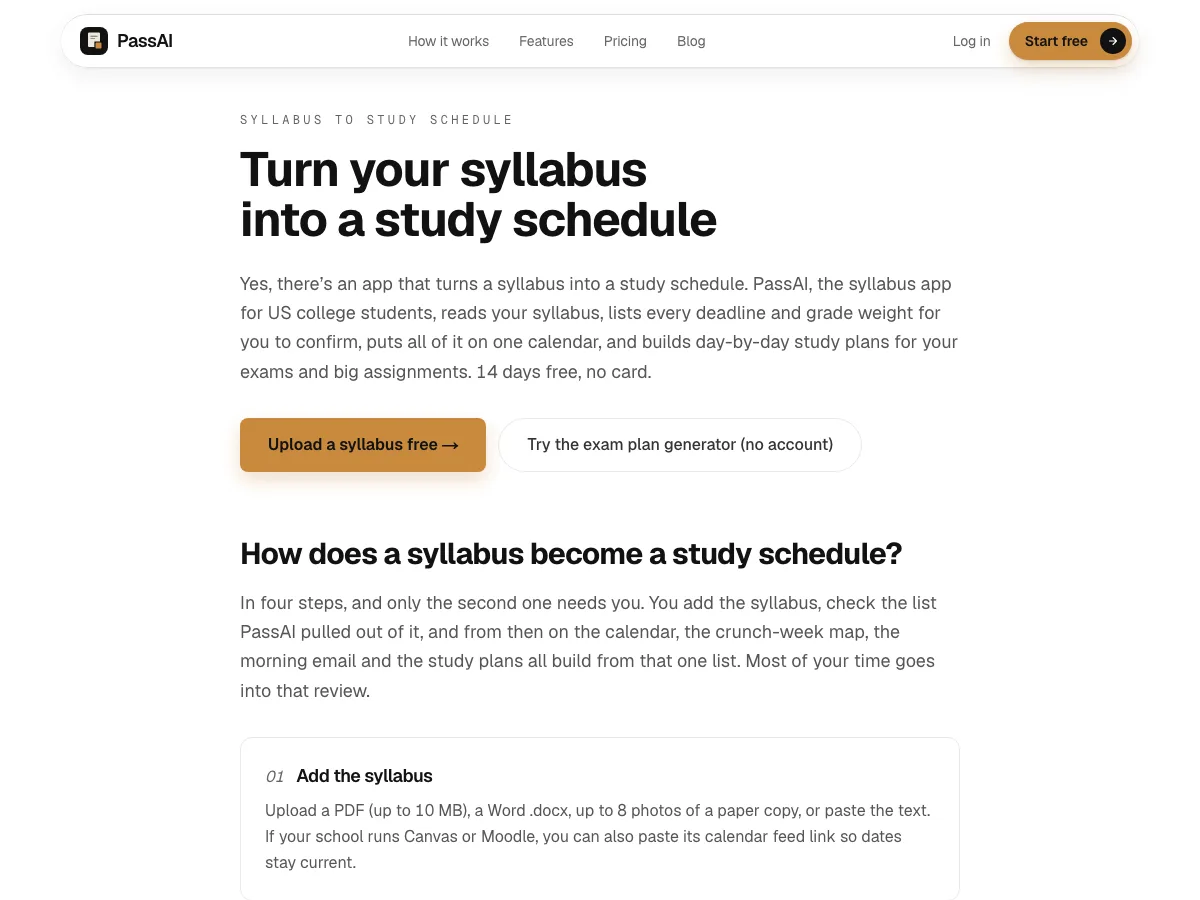
PassAI is the only planner on this list that starts from the document your professor already gave you. Upload the syllabus (a PDF, a Word file, up to 8 photos of a paper copy, or pasted text) and it does the setup the other apps leave to you:
- Every deadline, with its weight. It pulls out each assignment, quiz and exam with its date and grade weight, because knowing an exam counts 25% is what tells you to start it a week early.
- A review screen before anything is saved. You confirm the list and fix a date written as "week 10" or a weight buried in a footnote, so you're not trusting a guess.
- The Semester Map. Every class goes on one timeline, and the weeks where several deadlines pile up get flagged with a list of what to start early. That's the November week with three exams, visible in September.
- Day-by-day study plans. For an exam or a big assignment, PassAI's study plan puts a dated task and an estimated number of minutes on each day before it's due, so the work is spread out instead of crammed.
- It comes to you. A morning email shows today's task, and a calendar link sends everything to Google, Apple or Outlook Calendar. A Canvas or Moodle feed is re-checked daily, so a moved date shows up without you re-typing it.
- A grade calculator that already knows each class's weights.
You can try the idea without an account: PassAI's free exam study plan generator builds a day-by-day plan for your next exams in the browser. Every new account then gets 14 days of Pro with no card.
Won't do: run as a native phone app (it's a web app that works in your phone's browser), or manage a rotating A/B timetable the way MyStudyLife does. It also won't write your assignments: it plans the work, you do it. After the trial, the free plan keeps 2 classes; Pro is $9.99 a month or $24.99 for a 4-month semester.
2. MyStudyLife: best for class timetables
MyStudyLife is built around the class schedule. It handles Day A/B, Week 1/2, block schedules and custom rotations on the free plan, and reminders are free on iPhone and Android. If your timetable changes by the day, it's the best student planner app for you, because nothing else on this list handles rotations as cleanly.
Won't do: hold a full semester for free. The free plan caps you at 5 active tasks, and calendar sync (including Canvas and Blackboard) is part of MSL+ at $6.99 a month or $39.99 a year. If that cap is the dealbreaker, our My Study Life alternatives post compares the options.
3. Shovel: best for Canvas and other LMS schools
Shovel pulls your tasks and due dates from Canvas, Brightspace, Moodle or Google Classroom, or from a PDF syllabus if your school doesn't sync. It then turns those due dates into daily study sessions, so the start of each task is planned, not just the deadline.
Won't do: run for free. There's a 7-day trial that needs a card, then $36 a year ($3 a month billed yearly) or a monthly plan. We wrote a full comparison of Shovel alternatives if the price is the issue.
4. Power Planner: best free planner, no subscription
Power Planner is the best value on the list. The free version is fully functional: classes with times and rooms, homework, grades and automatic reminders, on Windows, Mac, iOS, Android and the web. Premium is a one-time payment under $5 and adds unlimited grades per class and multiple semesters.
Won't do: read anything for you. Every class, room and deadline goes in by hand.
5. myHomework: best cheap homework planner
For a low price, myHomework is the best homework planner app on the list. It's a plain homework planner that supports time, period and block schedules, sends homework reminders, and runs on almost every device, including Chromebooks. It's free with ads, and $4.99 a year removes them.
Won't do: connect to your LMS. Its only integration is Teachers.io, which helps only if your instructor posts there.
6. Notion: best if you want to build your own system
Notion is a blank workspace. Students build syllabus databases, assignment trackers and weekly dashboards in it, and the Education plan is free for students at accredited colleges with a school email (you re-verify once a year).
Won't do: set itself up. Notion has reminders, but it won't read a syllabus or Canvas, and the template you download on Sunday still needs every date typed in. If you like tinkering, that's fine. If you want the deadlines in by tonight, it's the slowest option here.
7. Todoist: best for fast lists across work and school
Todoist is the fastest way to capture a task: type "lab report friday" and it sets the date. It runs on Windows, Mac, Linux, iPhone, iPad and Android.
Won't do: fit a full course load on the free plan comfortably. Free gives you 5 personal projects, so one project per class uses all 5 before you add work or anything personal. Pro is $7 a month or $60 a year, with no student discount listed.
8. Google Calendar + Google Tasks: best place to see your week
Google Calendar is the best schedule app for college students who already keep classes, shifts and plans in Google, and it comes with your Google account. Add a date to a Google Task and it shows up on the calendar, with notifications on your phone, in the browser or by email.
Won't do: tell you what to study. A calendar shows when things happen, not how much work an exam worth 25% of your grade needs or when to start it.
How much typing each planner app needs before it's useful
The real cost of a planner app is the setup, and you pay it in the first two weeks of the semester, the busiest weeks you have. Here's the math with a real syllabus.
A US history syllabus we tested (HIS 2010) had 16 graded items: 2 exams, 6 quizzes and 8 assignments. Take 5 classes like that and you have about 80 dated items before you count readings. If each one takes about 30 seconds to type with its class and date, that's 40 minutes of data entry, done while add/drop is still open and your syllabi are still changing.
| App | Setup for 5 classes (about 80 items) |
|---|---|
| PassAI | Upload 5 syllabi, then confirm each list on the review screen. Dates and grade weights come in together |
| Shovel | Sync your LMS or upload each PDF, then check what came in |
| MyStudyLife, Power Planner, myHomework, Todoist, Notion, Google Calendar | Type all ~80 by hand (about 40 minutes at 30 seconds each), weights not included |
The 40 minutes is our own estimate, not a vendor number; your typing speed changes it. The point holds either way: the apps you type into only work if you finish typing, and the ones that import only work if you check what they imported. Either way, set aside one evening in week 1. With PassAI that evening is spent checking a list, not building one.
Calendar app or list app: which kind of planner do you need?
You need both kinds, and most students who quit a planner picked one and expected it to do the other's job.
A calendar (Google, Apple, Outlook) answers "where am I at 2 p.m. Thursday?" It's for fixed blocks: classes, work shifts, labs, office hours. A planner or list (MyStudyLife, Todoist, PassAI) answers "what should I work on tonight?" It's for work with a deadline but no fixed time.
So keep classes and shifts in the calendar, keep deadlines in the planner, and connect them so you only check one screen. PassAI does that for you: its calendar link sends every deadline and study task into Google, Apple or Outlook Calendar, so the planner and the calendar stay in step without copying. Google Tasks shows dated tasks on Google Calendar, and Power Planner can show classes and homework there too.
Planner apps for working students and adults going back to school
A working student has fewer free hours and less predictable ones, so the best study planner app for working students is the one that plans around the hours you actually have.
Three things matter more for you than for a full-time 19-year-old:
- Your shifts go in the calendar first. Put every work shift in Google or Apple Calendar before any study time, because a plan that ignores your shifts is wrong on day one.
- Reminders have to come to you. You won't open a planner app between a shift and an evening class. A push notification or an email you read with your coffee works better. That's why PassAI sends a daily morning email for each class.
- Start dates matter more than due dates. With 10 free hours a week, a 15-page paper due Friday has to start the weekend before. A planner that only lists due dates leaves that math to you. Shovel and PassAI both plan the start, not just the deadline.
If you're going back to college after years away, start simple: one calendar, one planner, and every syllabus deadline loaded in week 1. Fancy setups are where returning students lose the first month.
Paper vs digital: do college students still use planners?
Yes, college students still use planners, and paper still works for a lot of them. Writing a task by hand makes you think about it once more, and a paper planner never sends a notification you swipe away.
Paper has two real weaknesses. It can't remind you, so a quiz moved by email on Tuesday doesn't reach a planner sitting in your bag. And it can't show the whole semester at once, which is how you spot the week in November when three exams land together.
A setup that works for many students: a digital planner holds every deadline and sends the reminders, and a paper weekly page is where you plan the next 7 days by hand on Sunday night. You get the reminders and the moment of thinking.
How to pick a planner app in 2 minutes
Answer these three questions in order and stop at the first clear yes.
- Do you want your deadlines and grade weights pulled from the syllabus instead of typed? Use PassAI. Start with PassAI's syllabus to study schedule: upload one syllabus and check what it finds. If your school is LMS-first and you only need the dates, Shovel imports from Canvas, Brightspace or Moodle too.
- Does your timetable rotate (A/B days, block schedules)? Use MyStudyLife, or pair it with PassAI for the deadlines.
- Do you want free with no catch and don't mind typing? Use Power Planner, or Google Calendar with Tasks if you're already in Google.
If your deadlines are scattered across Canvas, emails and PDFs, you need a due-date list before a planner. Our post on the best assignment tracker apps for college covers that job. For side-by-side pages on each app, see PassAI's comparisons.
Whatever you pick, the test is the same: by the end of week 2, is every graded item from every syllabus in it? If not, the app doesn't matter yet.